
FAQ center
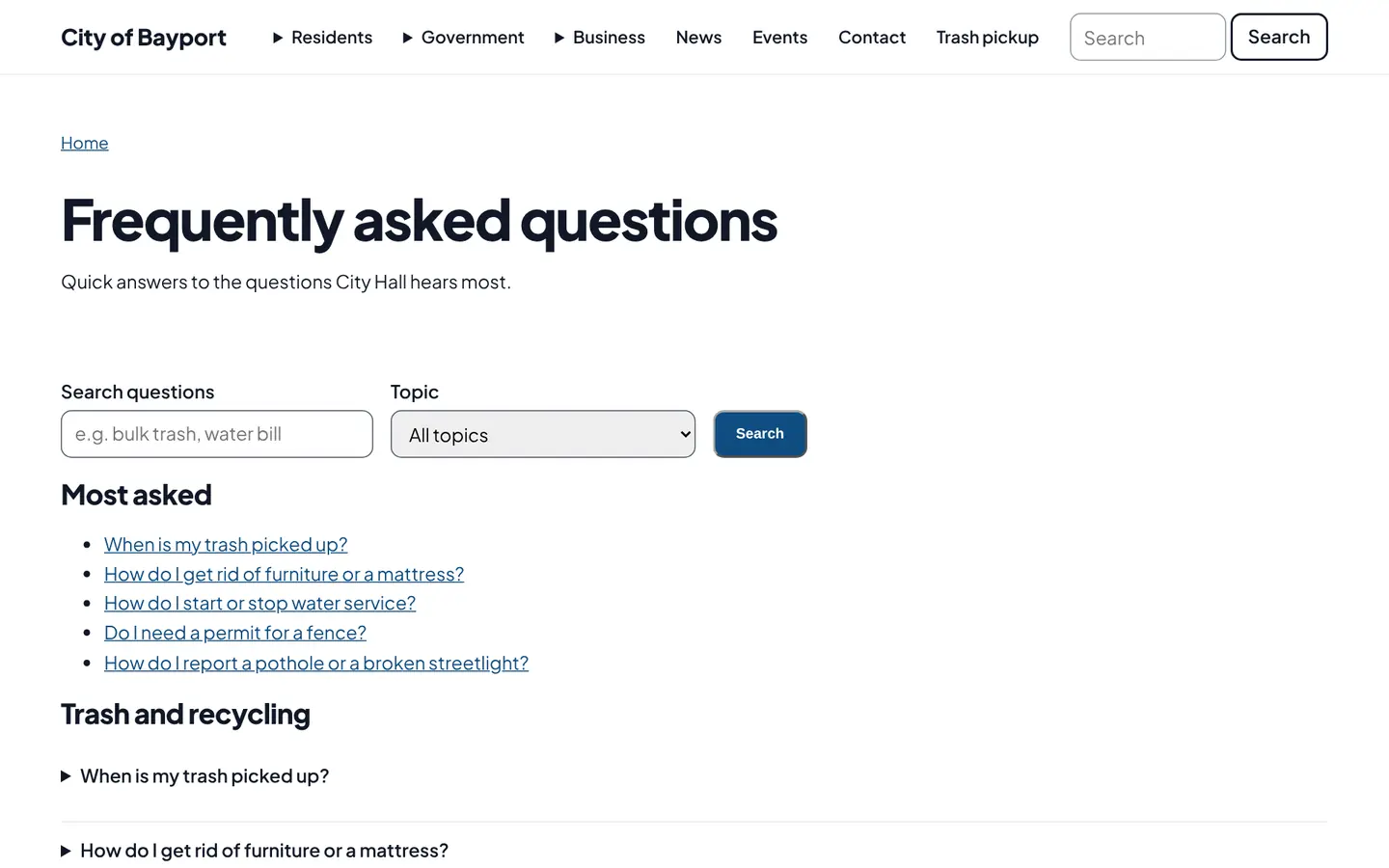
Staff write each common question once with a short answer. Residents search or browse by topic, and every answer has its own page to link to from an email or a phone call.
How it works
Three steps, no web team needed
Answer once
Write the answer and pick a topic, like trash, permits or utilities.
Show it where it helps
All FAQs on one page, or one topic on the page it belongs to.
Search engines read it
Answers carry FAQ markup so they can show up in search results.
For residents
- Search in your own words, like "couch" or "water bill"
- Browse by topic, with the most asked questions first
- Open an answer in place, no JavaScript needed
For city staff
- Answer once, then link to it instead of repeating it on the phone
- Show one topic on any page, like trash questions on the trash page
- Mark the most asked questions to put them first
See it in the demo city
What residents see, and what staff use
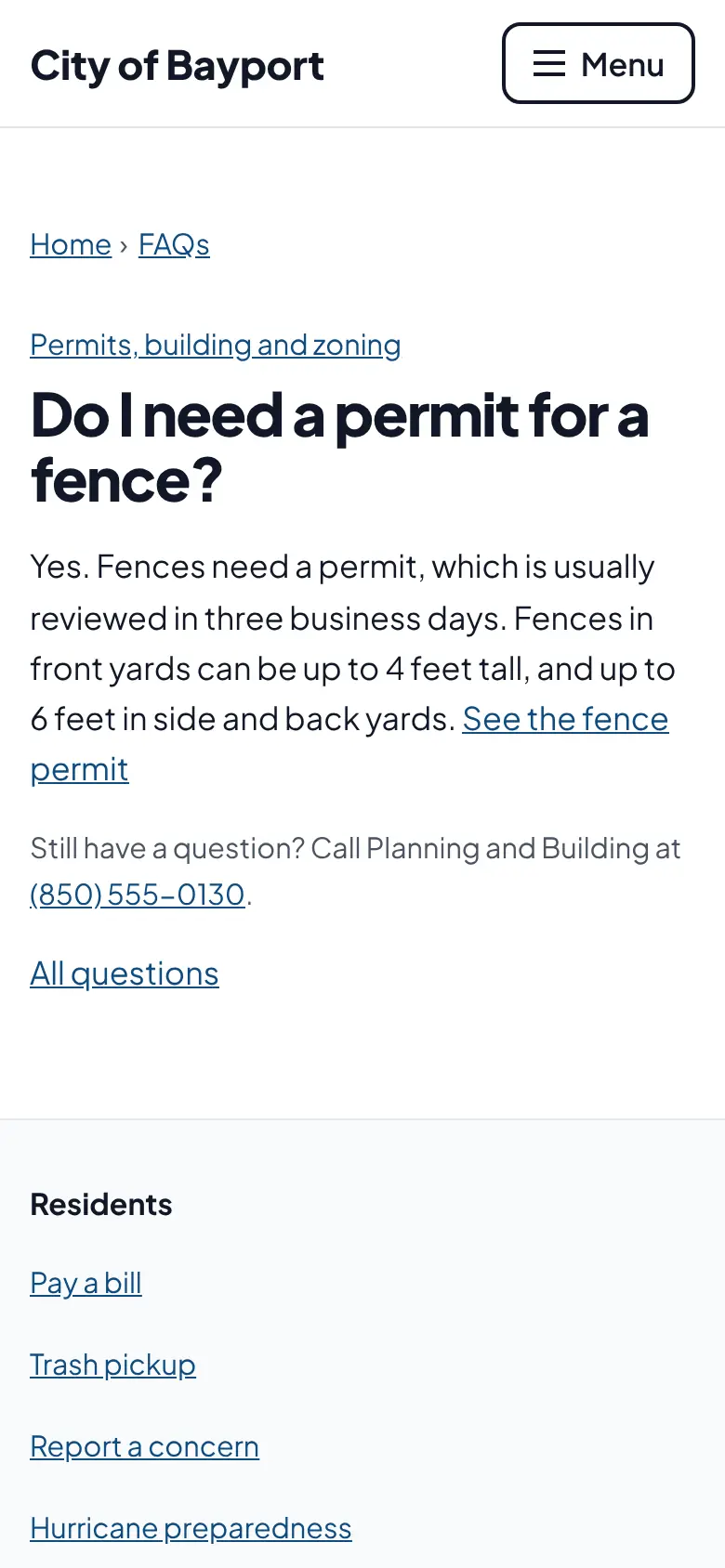
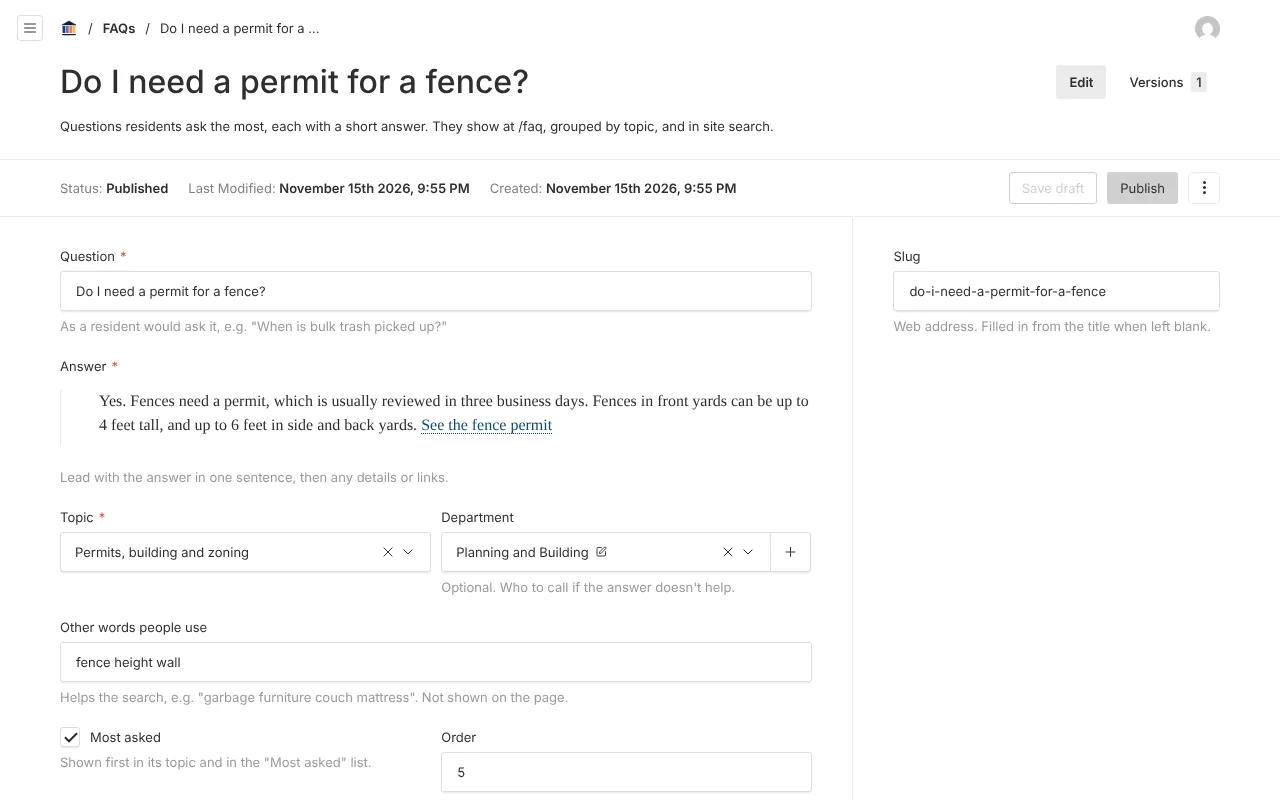
Screenshots from Bayport, our made-up demo city. Select any screenshot to see it full size.
Key features
- Searches the answers
- Matches words in the question, the answer and other words staff add.
- Ten plain topics
- Trash, utilities, permits, streets, parks, safety, payments and more.
- A page per answer
- Each question has its own address to share.
- Search engine ready
- FAQ data that search engines can show for government sites.

Ready before April 2027?
We move your content, set up your departments, and train your staff, so your new site is ready well ahead of the deadline.