
Written public comment
Each agenda item gets an online comment form. The clerk accepts or declines each comment, and accepted comments are posted by item for the record.
How it works
Three steps, no web team needed
Open comments
Turn on written comment for a meeting and choose when it closes.
Residents comment by item
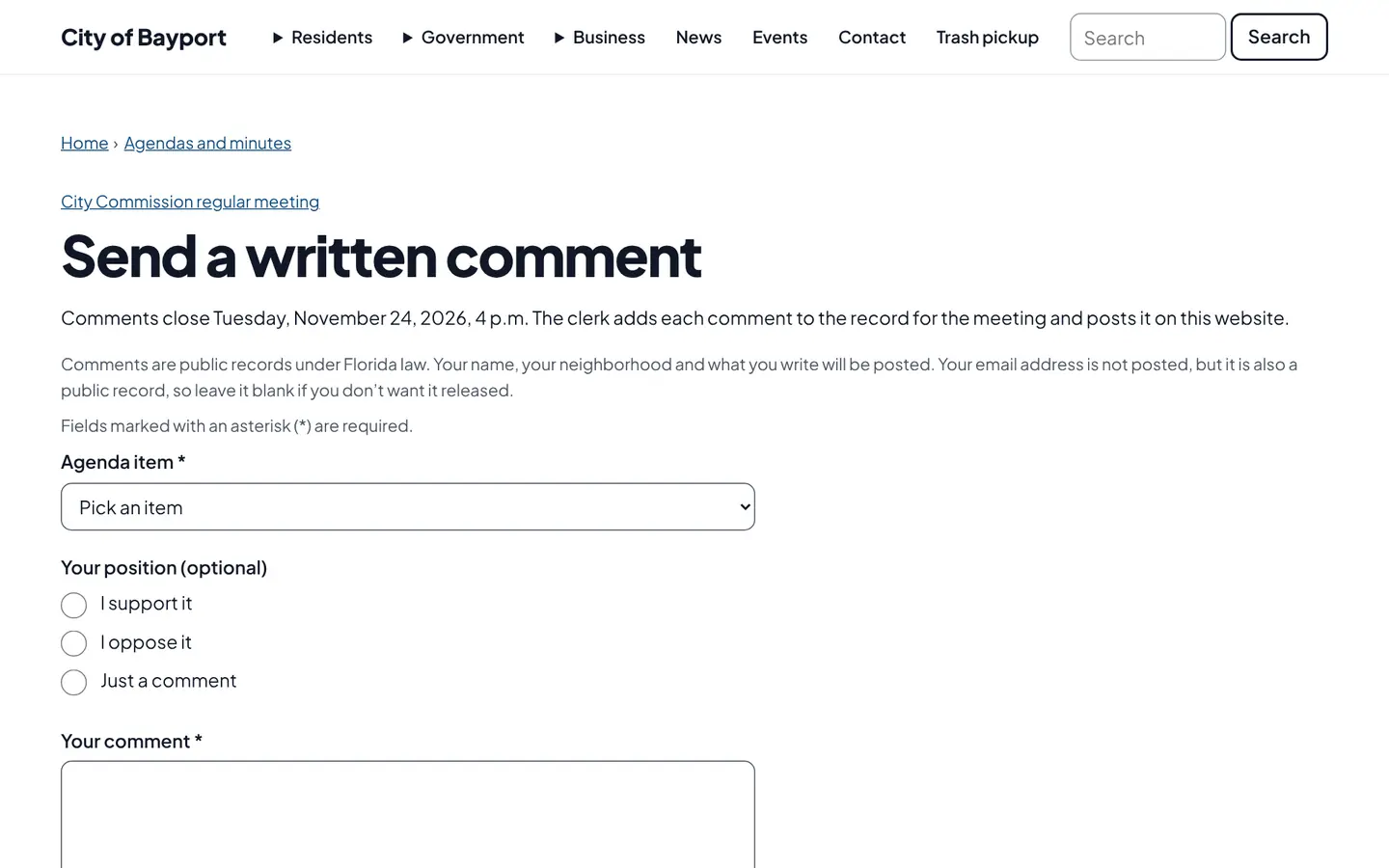
They pick the agenda item, say whether they support or oppose it, and write their comment.
The clerk reviews
Accepted comments are posted under the meeting for the record. Residents’ words are never edited.
For residents
- Comment on a specific agenda item from home
- A plain form that works without JavaScript
- See accepted comments posted by item
For city staff
- Set when comments close, from 0 to 72 hours before the meeting
- Accept or decline each comment; residents’ words can’t be edited
- Comments are kept for the record and can’t be deleted by staff
See it in the demo city
What residents see, and what staff use
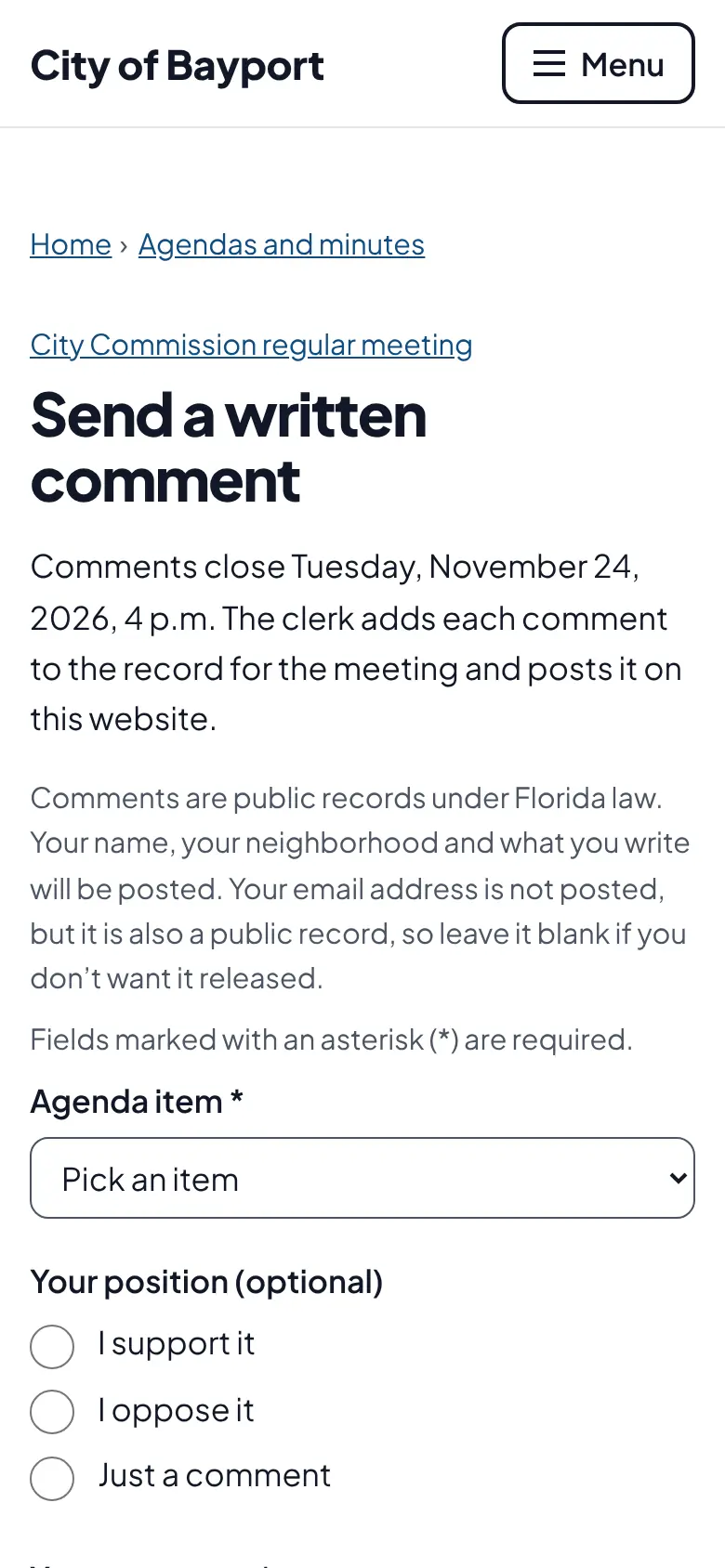
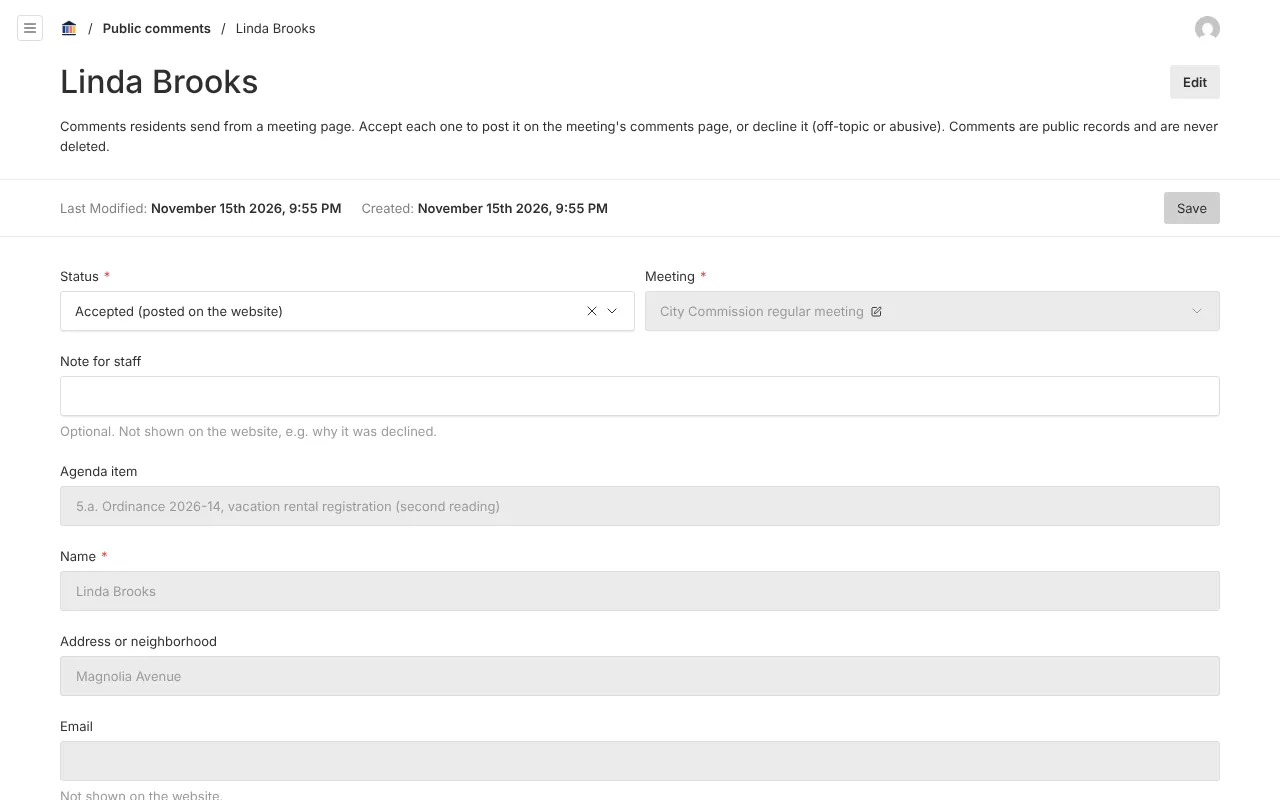
Screenshots from Bayport, our made-up demo city. Select any screenshot to see it full size.
Key features
- By agenda item
- Every comment is tied to the item it is about.
- Deadline you choose
- Closes a set number of hours before the meeting; two hours by default.
- Clerk review
- Received, accepted or declined, with the original text locked.
- Public record page
- Accepted comments posted under each meeting.
Works well with

Ready before April 2027?
We move your content, set up your departments, and train your staff, so your new site is ready well ahead of the deadline.