
Word, Excel and PowerPoint to PDF
Staff upload the Word, Excel or PowerPoint file they already have. Civic Pier converts it to PDF for the public and keeps the original file for records retention.
How it works
Three steps, no web team needed
Upload the Office file
Word, Excel or PowerPoint, straight from your computer.
It becomes a PDF
The public sees a PDF that opens in any browser.
The original is kept
Stored as an archived record and linked to the PDF.
For residents
- Every document opens in the browser, no Office software needed
For city staff
- No "Save as PDF" step
- The original is kept, linked to the PDF
See it in the demo city
What staff use
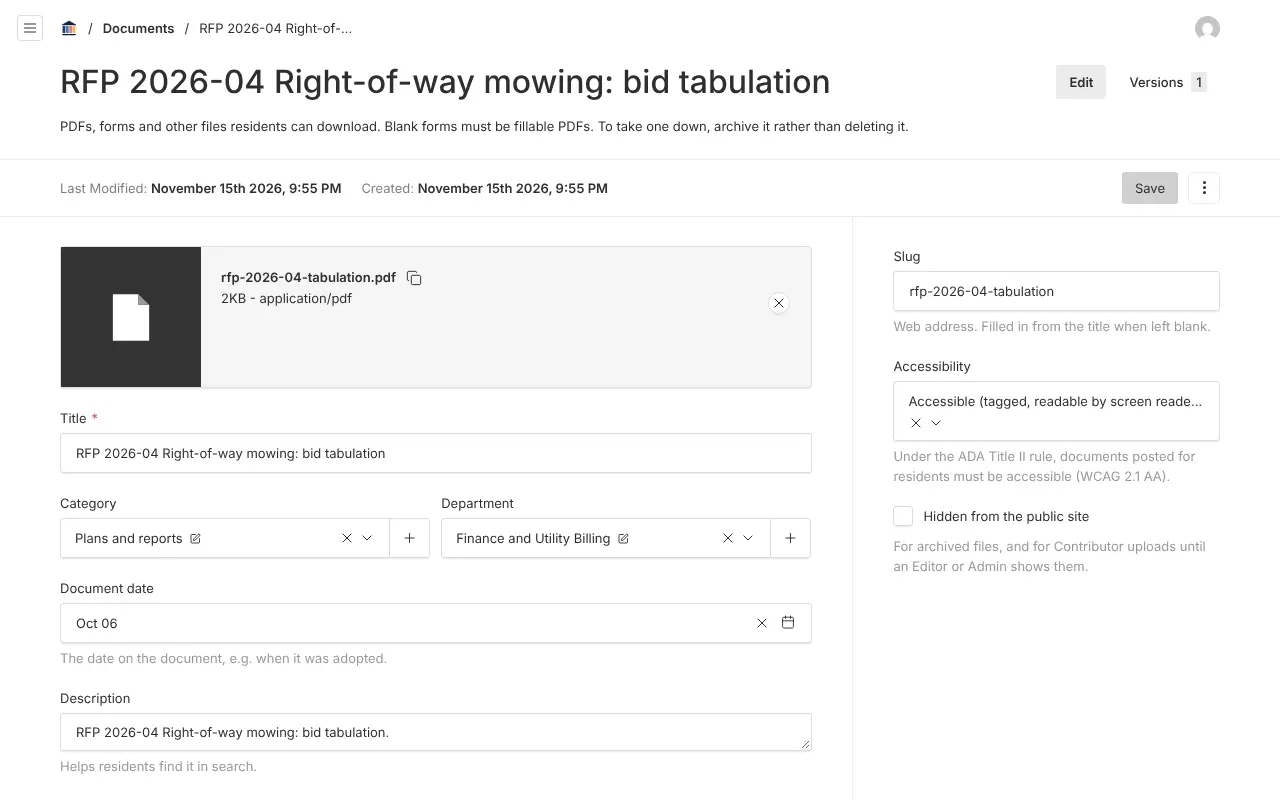
Screenshots from Bayport, our made-up demo city. Select any screenshot to see it full size.
Key features
- Automatic conversion
- Word, Excel and PowerPoint files become PDFs on upload.
- Original kept
- Stored as an archived record and linked to its PDF.
- Searchable
- The converted PDF is indexed for search like any other.

Ready before April 2027?
We move your content, set up your departments, and train your staff, so your new site is ready well ahead of the deadline.