
Online forms
Build any form, from a contact form to a permit application. Residents can attach photos and files, get a reference number, and follow tracked requests on a status page.
How it works
Three steps, no web team needed
Build the form
Pick fields: text, choice, address, number, date, photo, map pin or department.
Residents send it
From a phone or computer, with photos attached. They get a reference number.
Staff answer from the inbox
Updates are emailed to the resident, and a PDF is kept for the file.
For residents
- Fill out forms on a phone, with photos and PDFs attached
- A reference number and a PDF copy of official forms
- A status page for tracked requests
For city staff
- Build forms with text, choice, address, number, file, map and department fields
- A shared inbox per department, with updates emailed to the resident
- A PDF of each submission for the file
See it in the demo city
What residents see, and what staff use
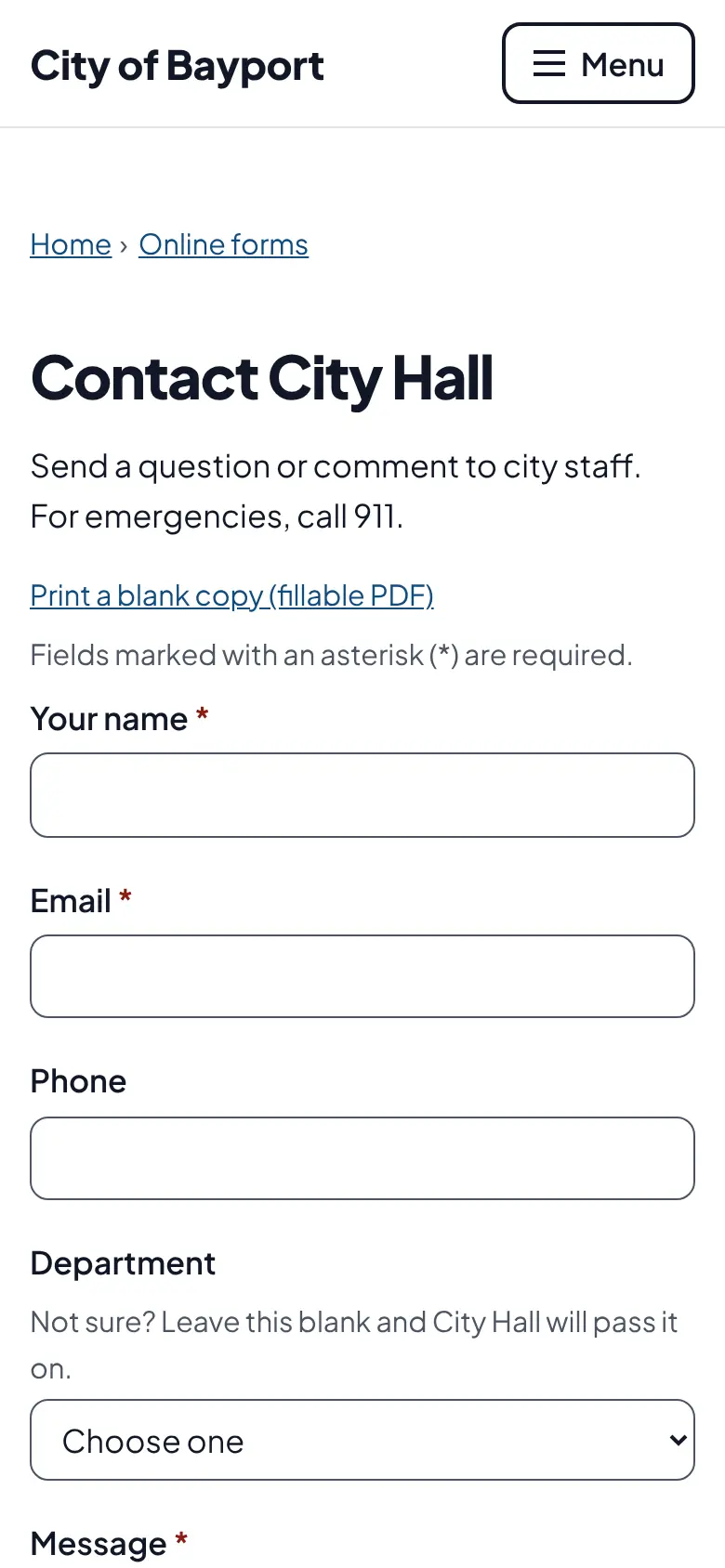
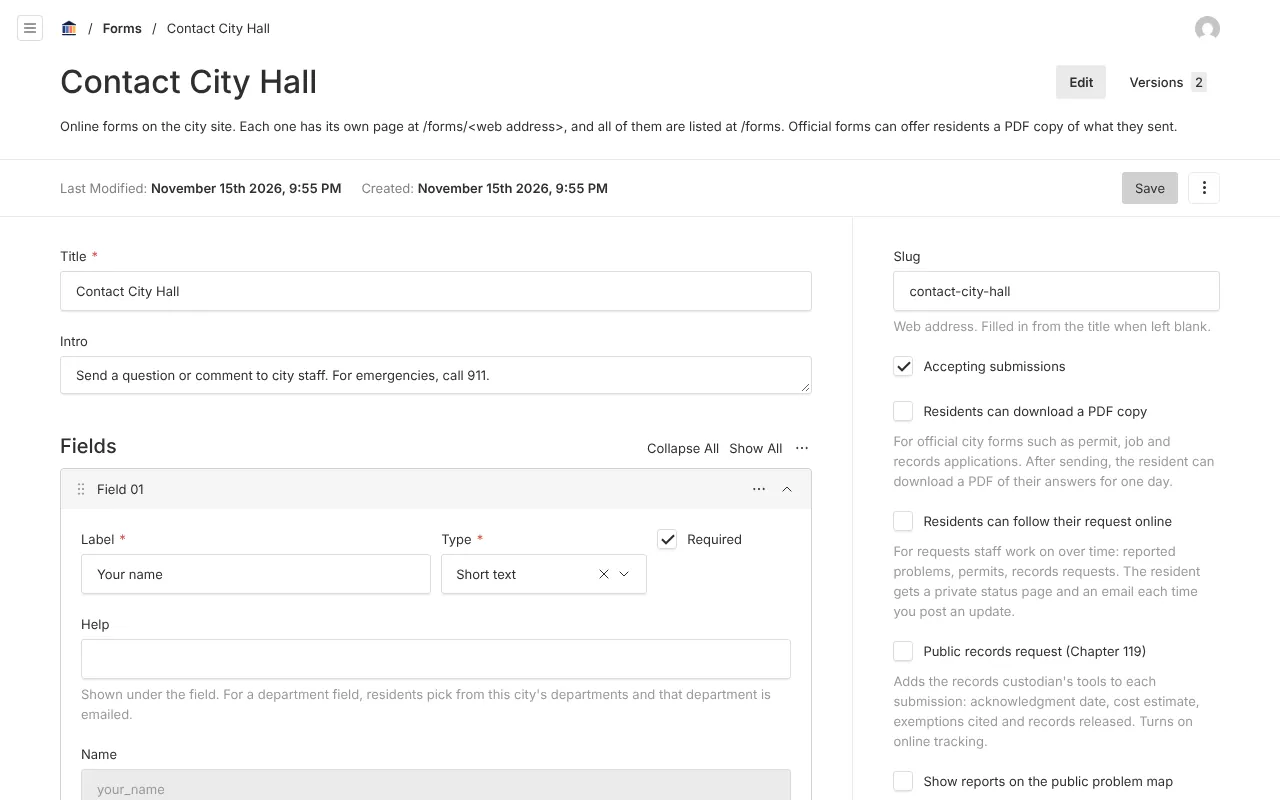
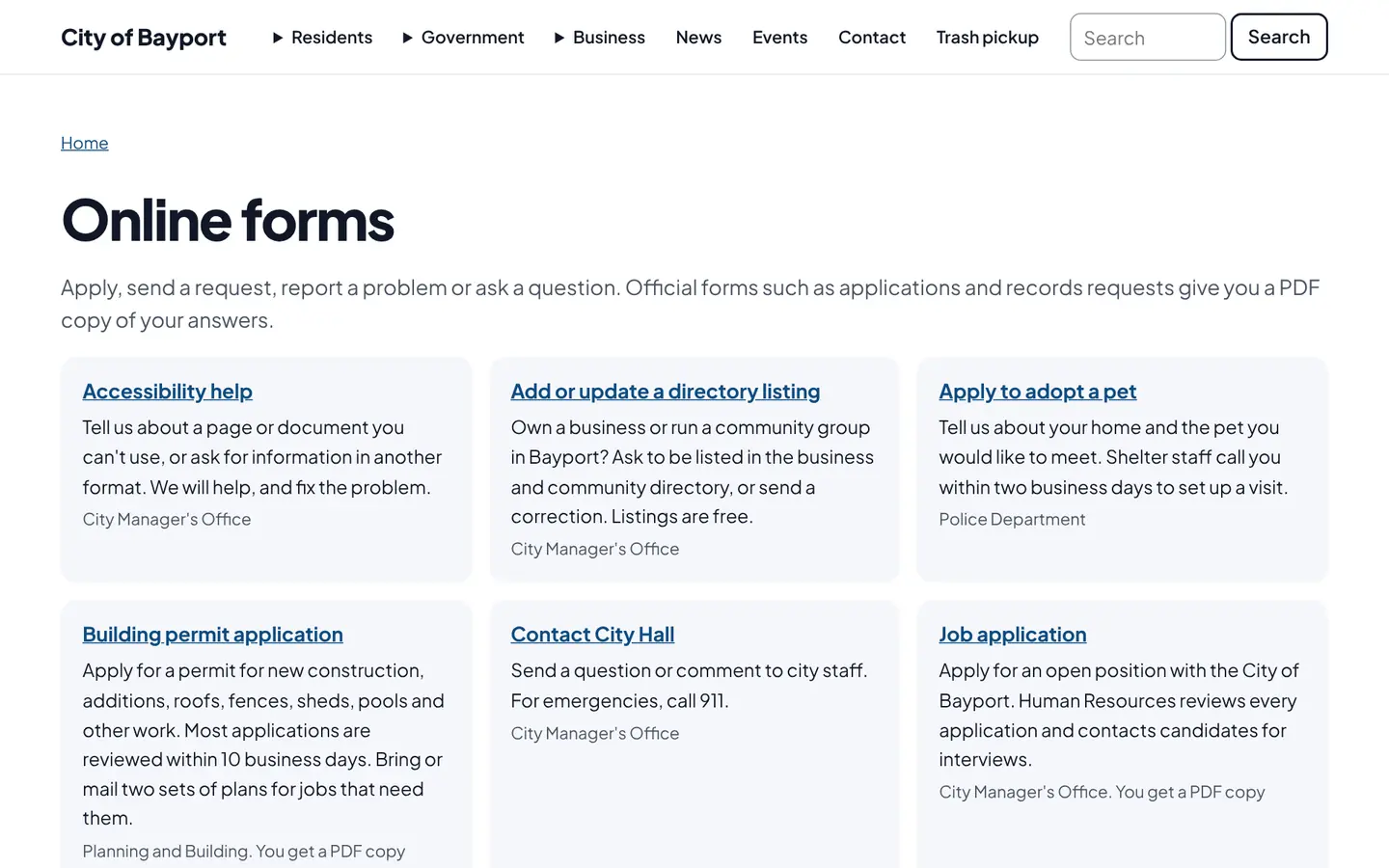
Screenshots from Bayport, our made-up demo city. Select any screenshot to see it full size.
Key features
- Field types
- Text, email, phone, number, address, choice, checkbox, file upload, map pin and department.
- Photo and file uploads
- Photos shrink in the browser and location data is stripped before saving.
- Request tracking
- A private status page and email updates for each submission.
- Spam protection
- Hidden checks and rate limits, no puzzles for residents.
- Starter forms
- Every new city starts with contact, concern and records request forms.
Works well with

Ready before April 2027?
We move your content, set up your departments, and train your staff, so your new site is ready well ahead of the deadline.