
Hurricane prep
Turn on storm mode and every page shows the storm stage. A storm status page lists evacuation orders and puts open shelters and sandbag sites on a map, and subscribers are emailed at each stage change.
How it works
Three steps, no web team needed
Turn on storm mode
Name the storm and pick the stage: watch, warning, storm conditions or recovery.
Open sites
Mark shelters, sandbag sites and supply points open, full or closed from a phone.
Residents stay informed
A storm banner on every page, a status page with a map, and emails at each stage change.
For residents
- A storm banner on every page
- Evacuation orders by zone
- Open shelters and sandbag sites on a map, with live status
For city staff
- One switch to turn storm mode on or change the stage
- Mark shelters and sandbag sites open, full, not open yet or closed from a phone
- Emails go out on their own when the stage changes
See it in the demo city
What residents see, and what staff use
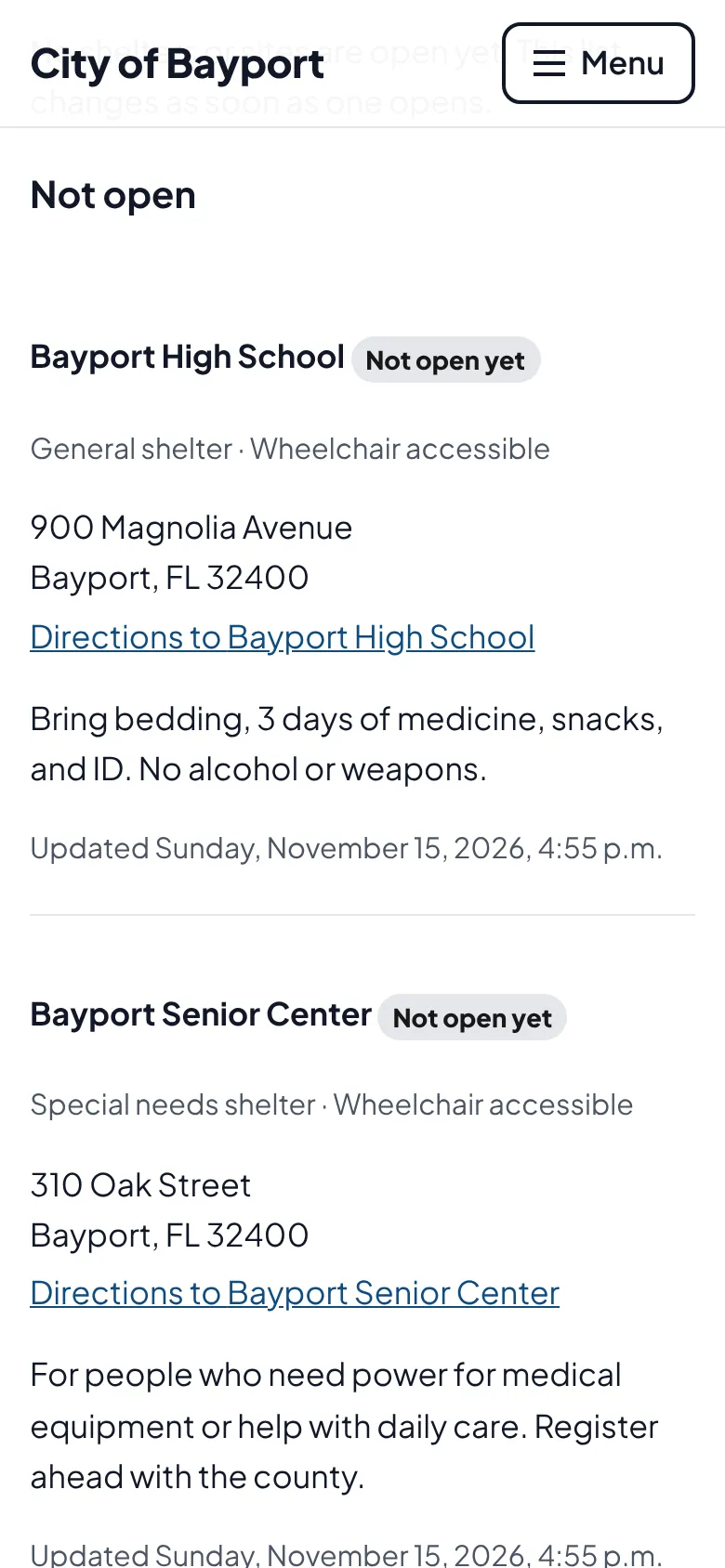
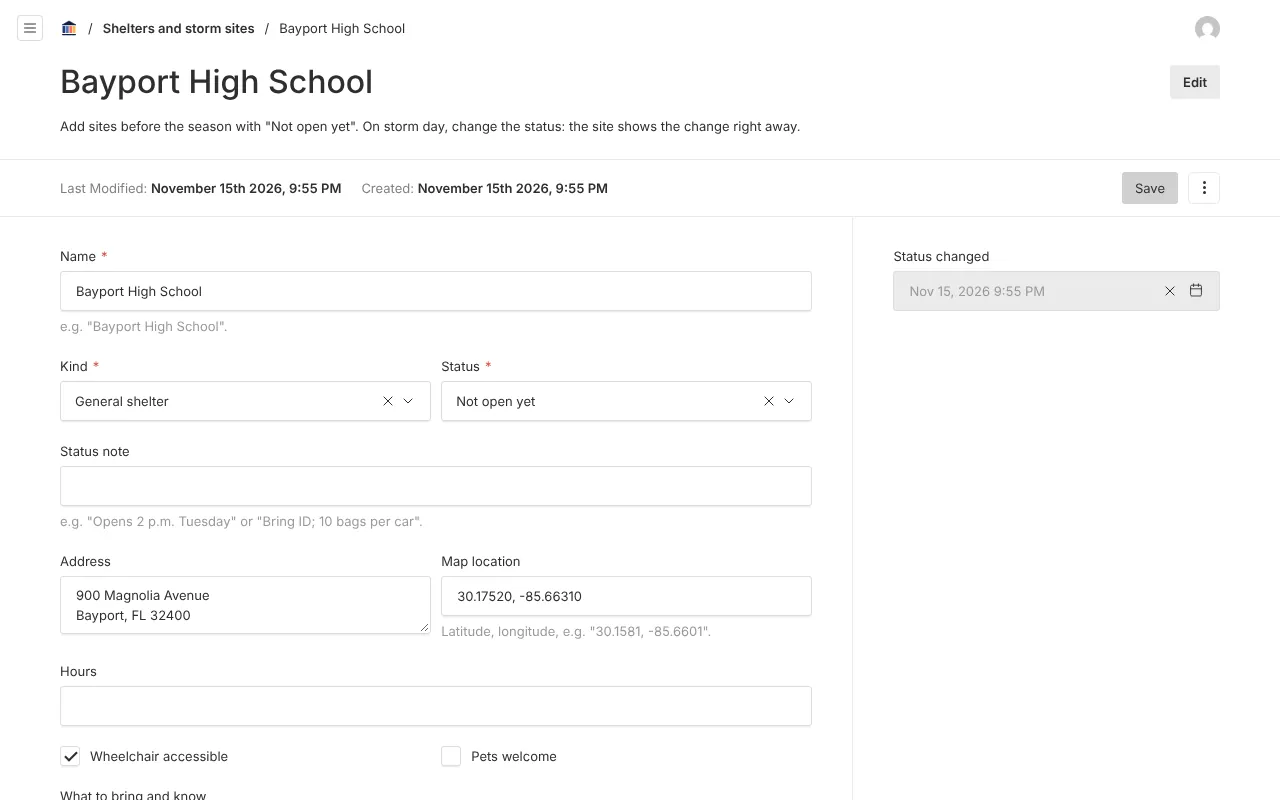
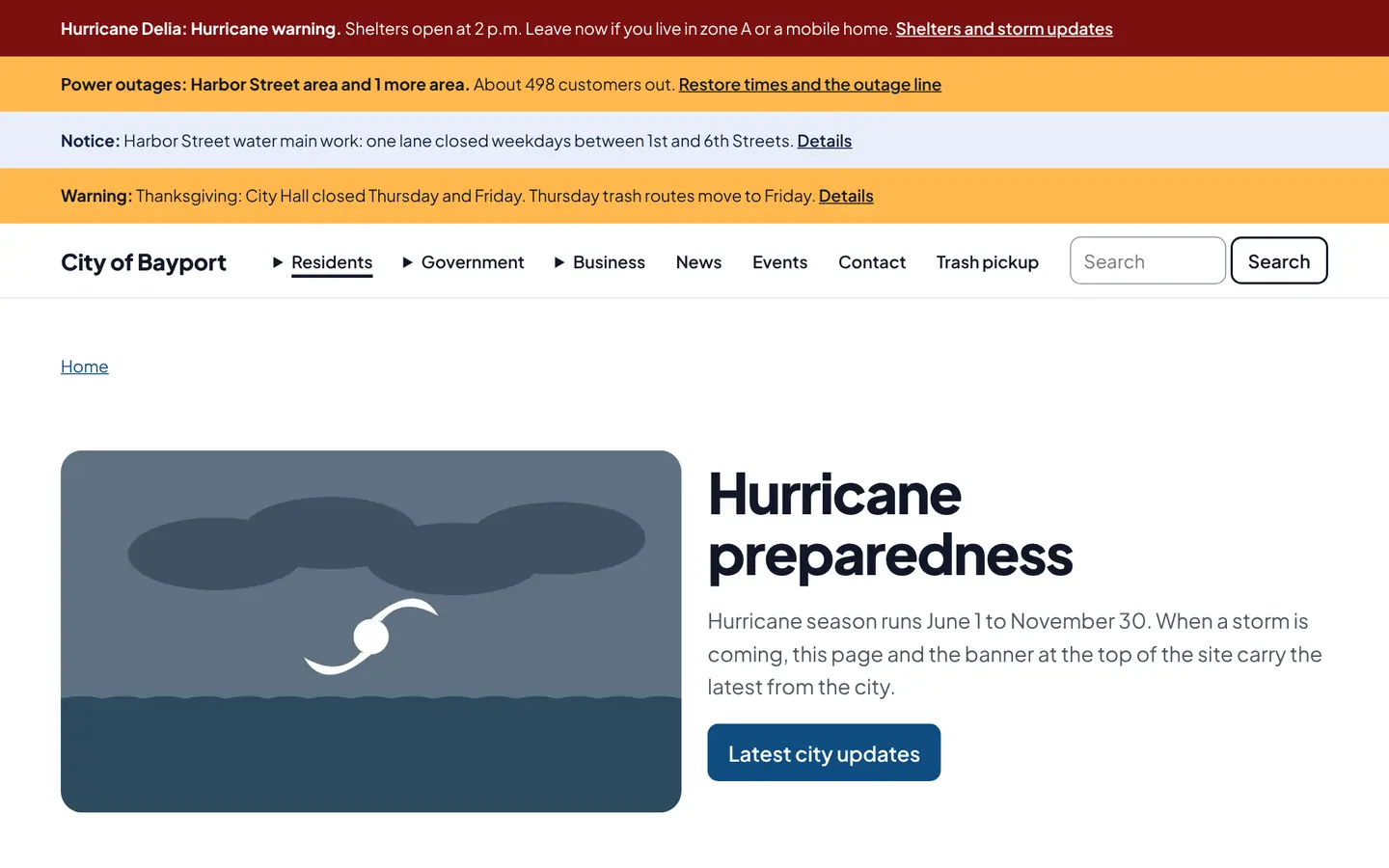
Screenshots from Bayport, our made-up demo city. Select any screenshot to see it full size.
Key features
- Storm mode
- One setting per city that drives the banner, status page and emails.
- Sites on a map
- Shelters (general, special needs, pet-friendly), sandbags, water and ice, food, charging and debris drop-off, each with status and directions.
- Evacuation zones
- Which zones, and mobile homes, are under orders, plus any curfew.
- Status section
- Drop storm status onto the home page or any other page.
Works well with

Ready before April 2027?
We move your content, set up your departments, and train your staff, so your new site is ready well ahead of the deadline.