
Document library and PDF search
A document library for ordinances, budgets, reports and forms. Civic Pier reads every page of every PDF, so site search finds a phrase on page 147 and opens the file right there.
How it works
Three steps, no web team needed
Upload the PDF
Add it to the document library with a category and department.
Every page is indexed
The text of each page is read and added to site search.
Residents land on the page
A search result opens the PDF at the page where the words appear.
For residents
- Find a document by what it says, not just its title
- Results open the PDF at the matching page
For city staff
- Upload once; the text is indexed automatically
- Replace a file and the old text is cleared
- Older PDFs become searchable with one click
See it in the demo city
What residents see, and what staff use
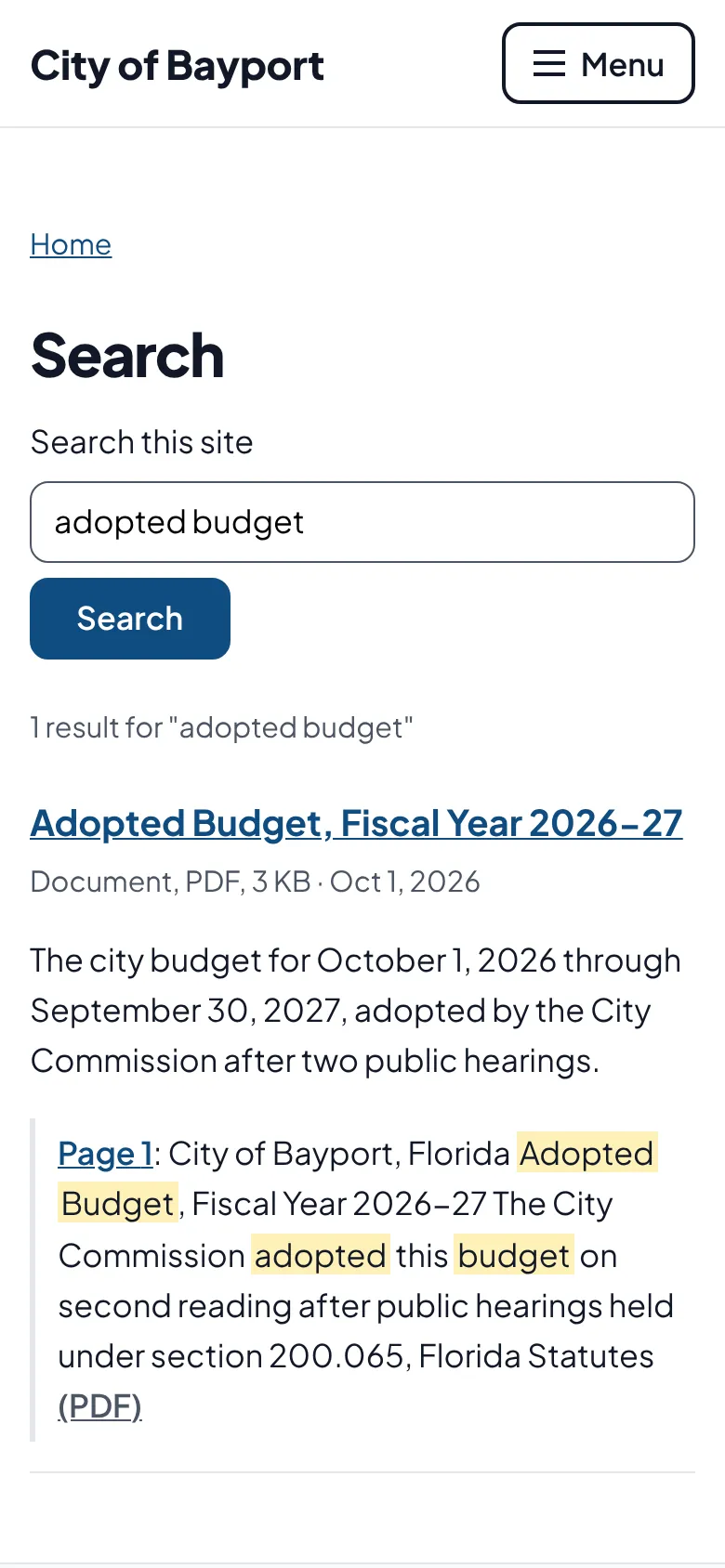
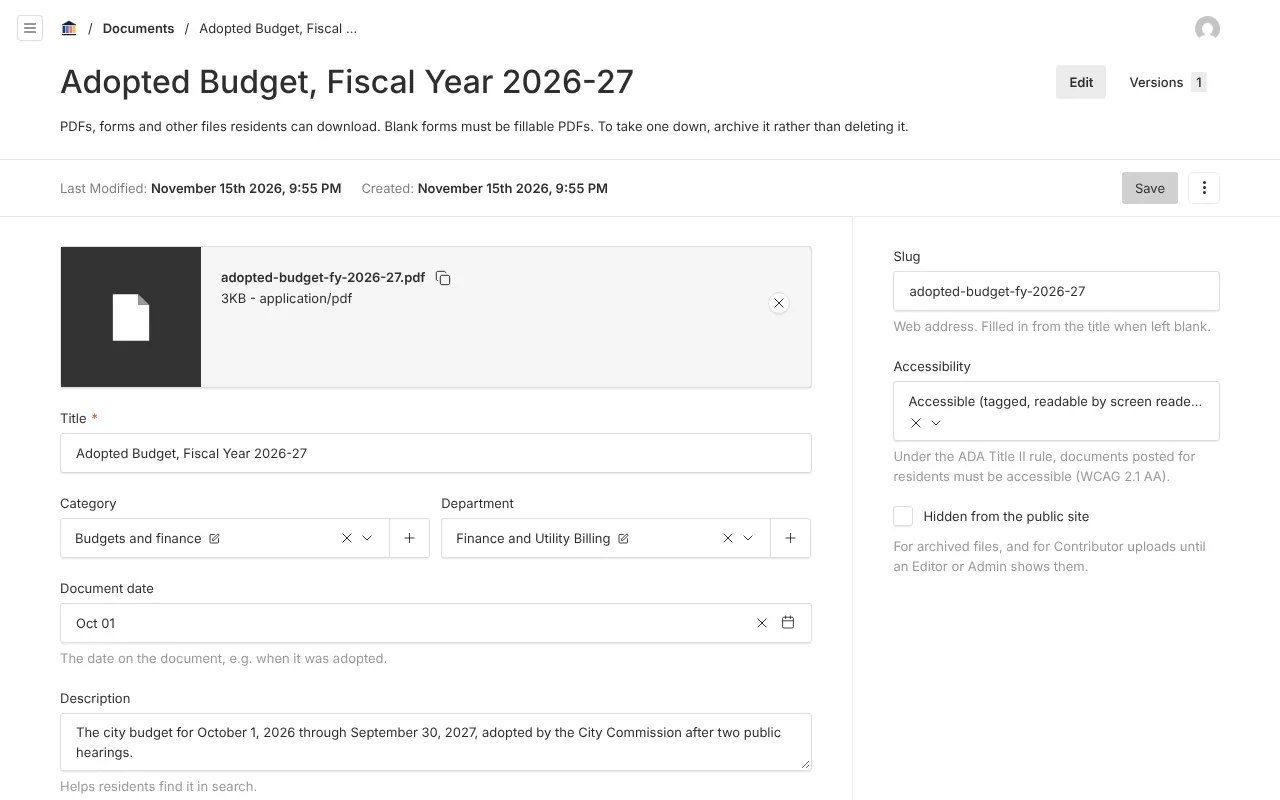
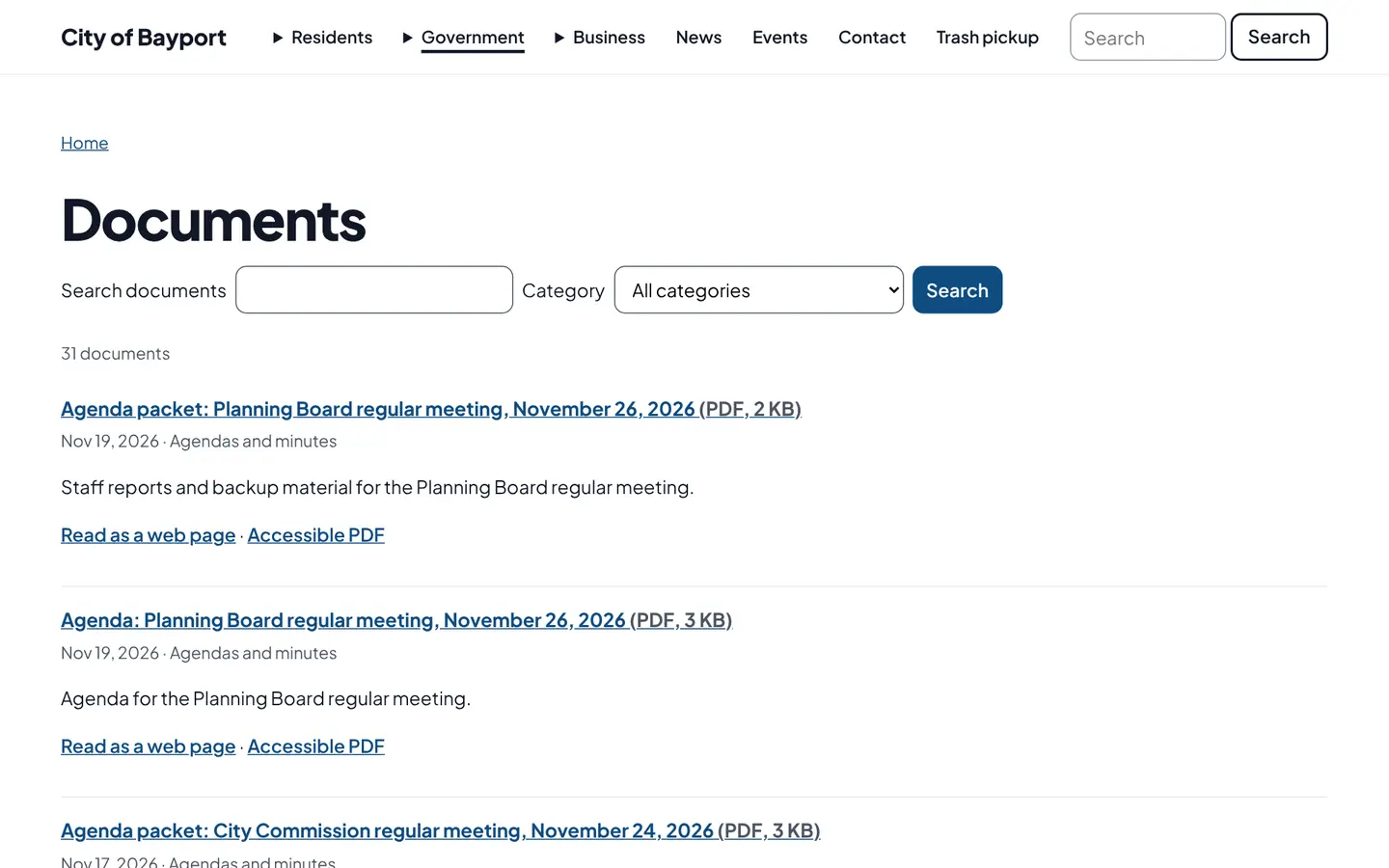
Screenshots from Bayport, our made-up demo city. Select any screenshot to see it full size.
Key features
- Document library
- Organized by department and type, with a document list section for any page.
- Page-level search
- Every page’s text is indexed for full-text search.
- Accessibility status
- Each file is marked accessible, needs fixing, or archived exception.
Works well with

Ready before April 2027?
We move your content, set up your departments, and train your staff, so your new site is ready well ahead of the deadline.