
Redirects and short links
Moving to a new website breaks thousands of old links in emails, search results and other sites. Civic Pier lists every old address people still try, and staff send each one to the right page in a few clicks. Short links like /pool work the same way.
How it works
Three steps, no web team needed
See what is missing
A list shows every address that came up "not found", most used first.
Point it somewhere
Pick the page it should go to, or redirect a whole old section in one rule.
Print short links
Make short addresses like /pool for flyers, signs and social media.
For residents
- Old bookmarks and links in emails land on the right page
- Short addresses from flyers and signs, like /pool
For city staff
- A list of addresses that came up "not found", most used first
- Pick a page and the redirect is made
- Redirect a whole old section, like the old agenda center, in one rule
See it in the demo city
What staff use
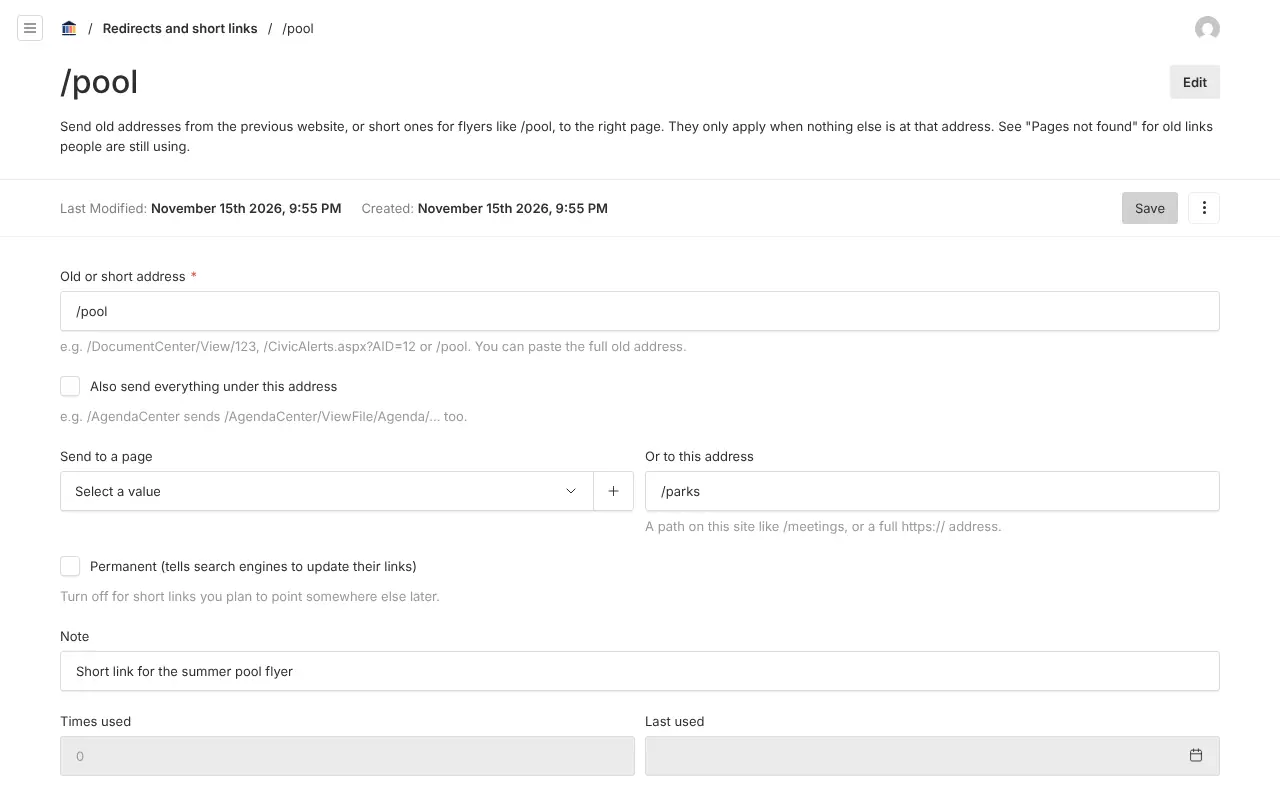
Screenshots from Bayport, our made-up demo city. Select any screenshot to see it full size.
Key features
- Pages not found
- Every missing address people try, with a count and where they came from. Bots are left out.
- Whole sections
- One rule can send everything under an old address to a new page.
- Old query links
- Addresses like /CivicAlerts.aspx?AID=12 can go to the right news post.
- Never hides a page
- A redirect only applies where nothing else is, and counts how often it is used.

Ready before April 2027?
We move your content, set up your departments, and train your staff, so your new site is ready well ahead of the deadline.