
Trash and recycling
Residents find their trash, recycling and yard waste days by zone and street, plus bulk item and cart placement rules. Holiday changes go up as a site-wide alert.
How it works
Three steps, no web team needed
Set up zones
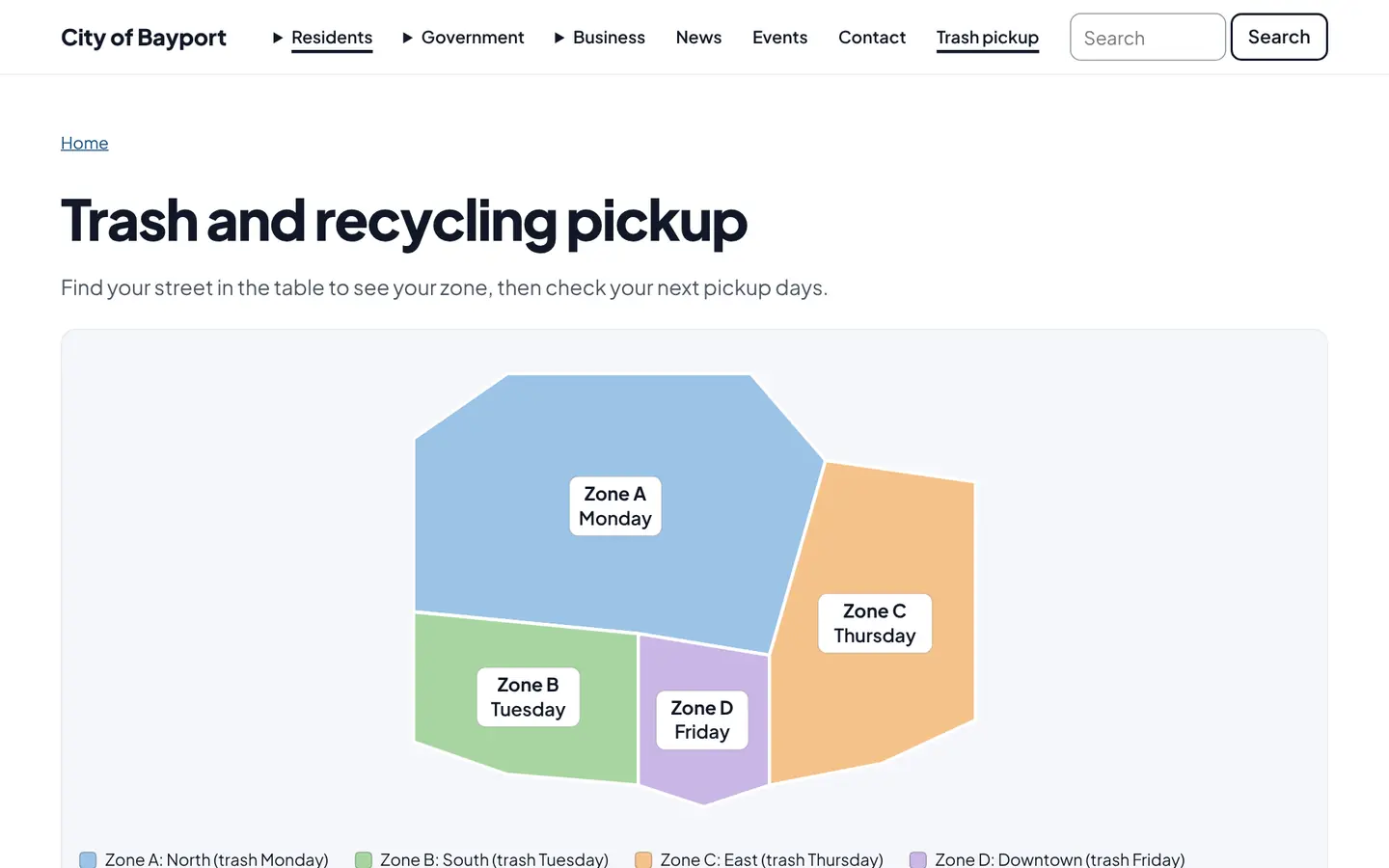
Draw each zone and set its trash, recycling and yard waste days.
Residents find their day
By zone, street or map, with bulk item rules.
Post changes
A holiday change goes up as an alert at the top of every page.
For residents
- Pickup days for their zone and street
- Bulk item and cart placement rules
- Holiday changes in an alert at the top of every page
For city staff
- Edit zones and days in one place
- Post a holiday change as an alert in a minute
See it in the demo city
What residents see, and what staff use
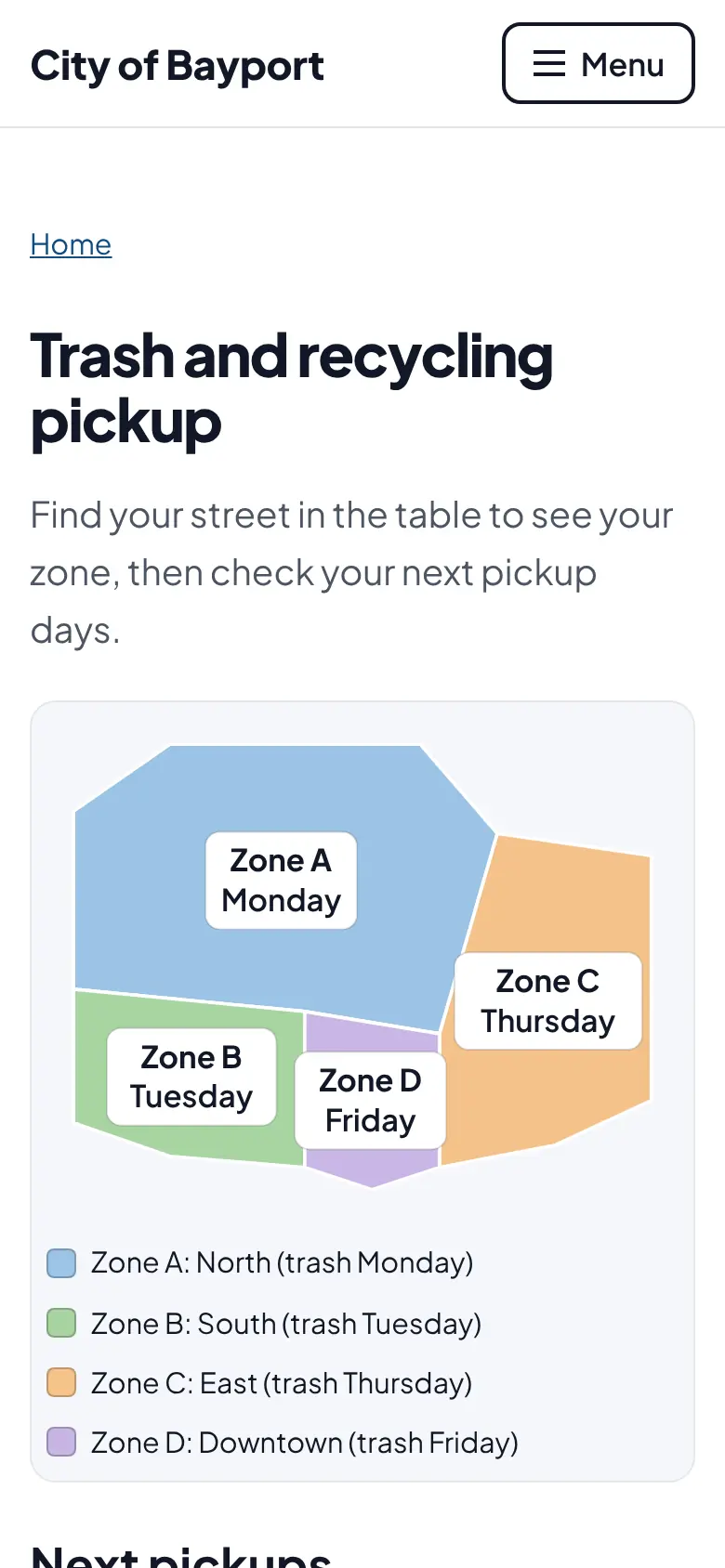
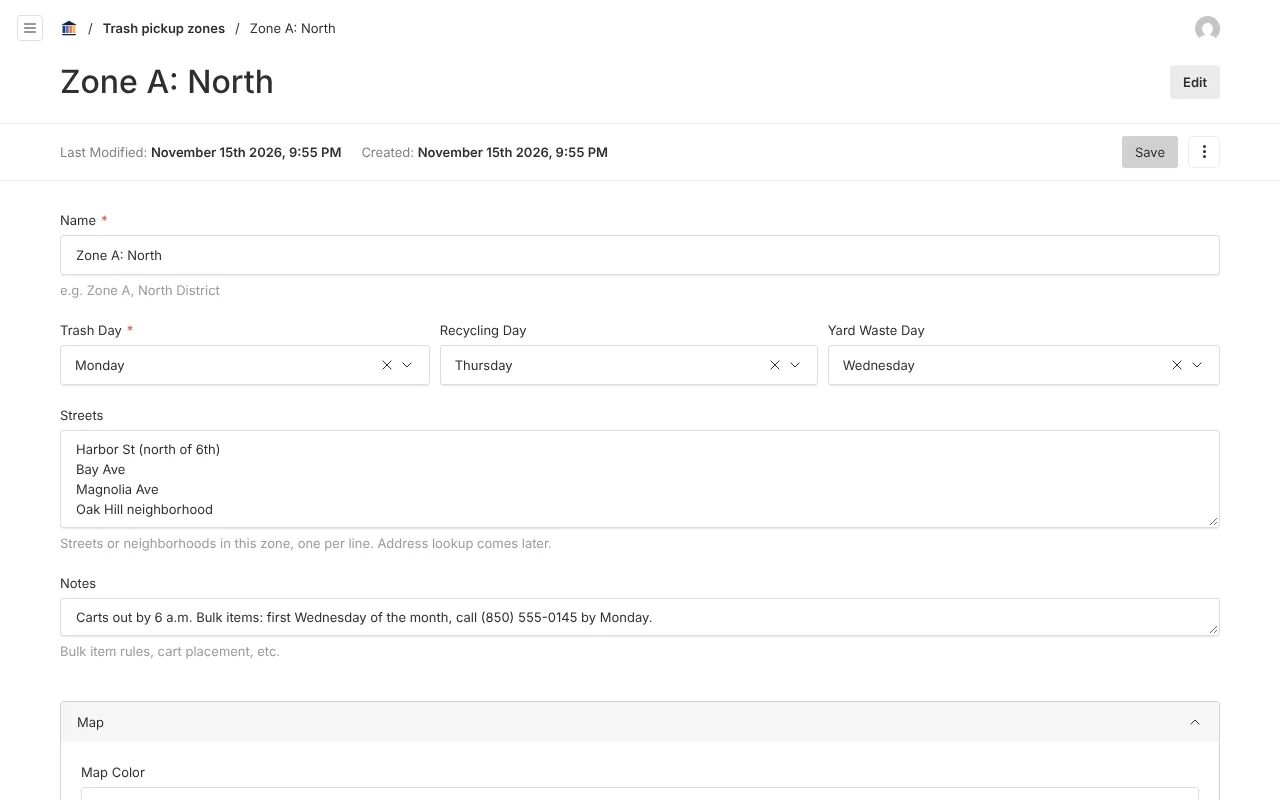
Screenshots from Bayport, our made-up demo city. Select any screenshot to see it full size.
Key features
- Pickup zones
- Days for trash, recycling and yard waste in each zone, with the streets it covers.
- Zone map
- Each zone drawn on a map in its own color.
- Bulk item rules
- Notes for bulk items, cart placement and anything else residents ask about.

Ready before April 2027?
We move your content, set up your departments, and train your staff, so your new site is ready well ahead of the deadline.